


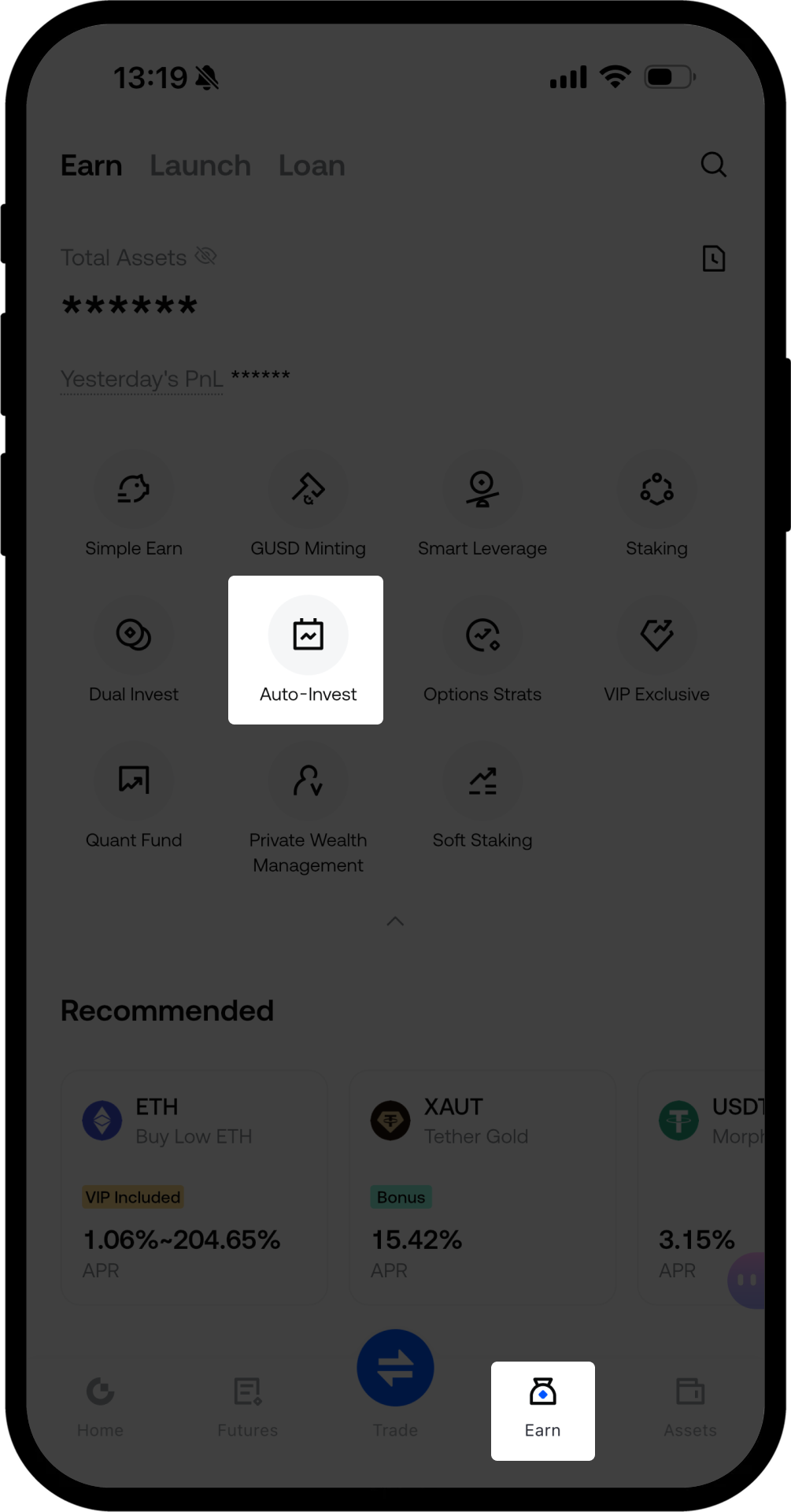
- Ouvrez l'application mobile Gate, connectez-vous à votre compte, appuyez sur le bouton Finance en bas de l'écran, puis sélectionnez Investissement automatique pour accéder à la page Investissement automatique.
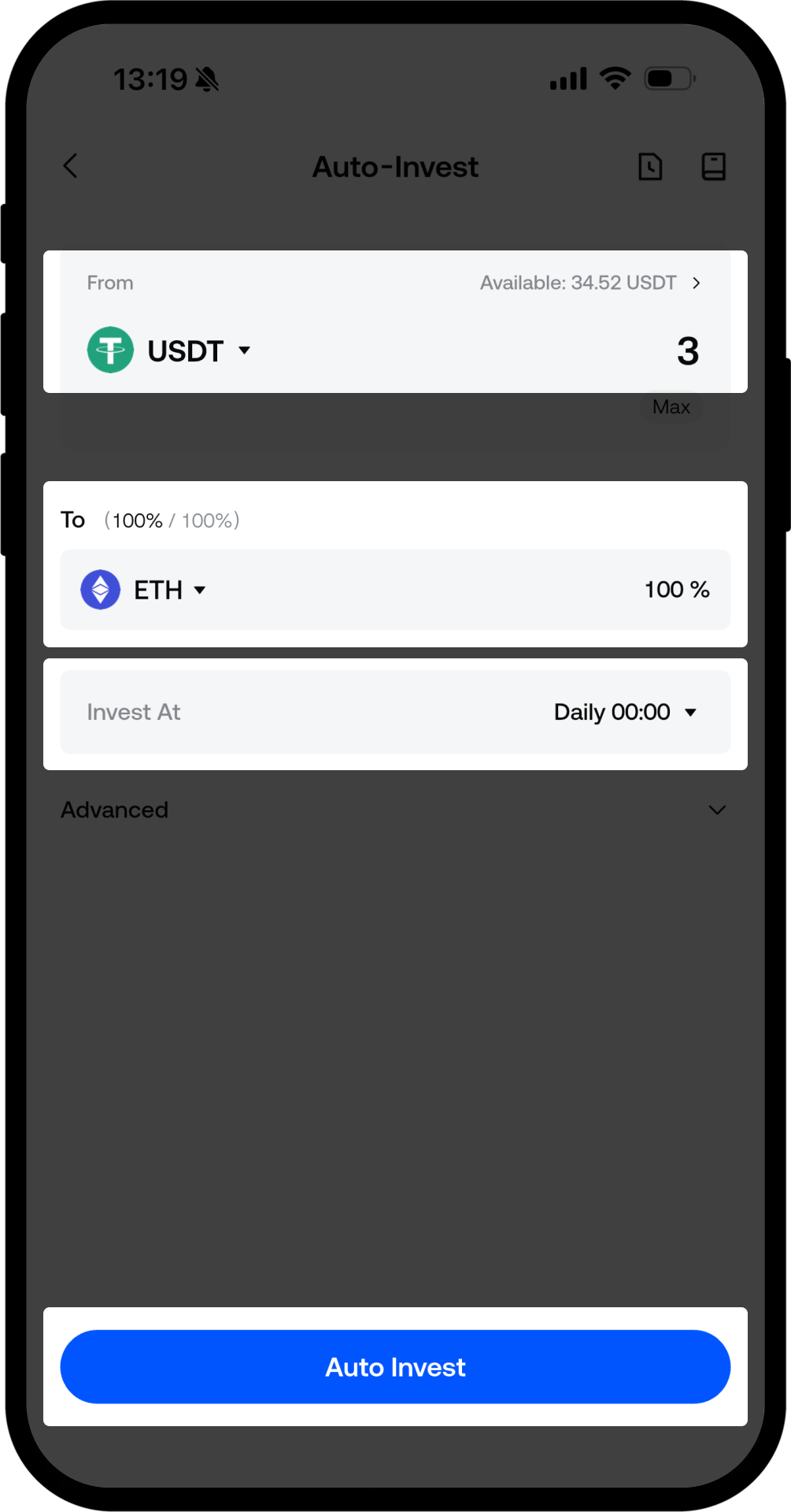
- Sur la page Investissement automatique, choisissez votre devise de paiement, le montant, la cryptomonnaie dans laquelle vous souhaitez investir, ainsi que la fréquence de l'investissement automatique. Appuyez sur Investissement automatique pour finaliser la configuration.
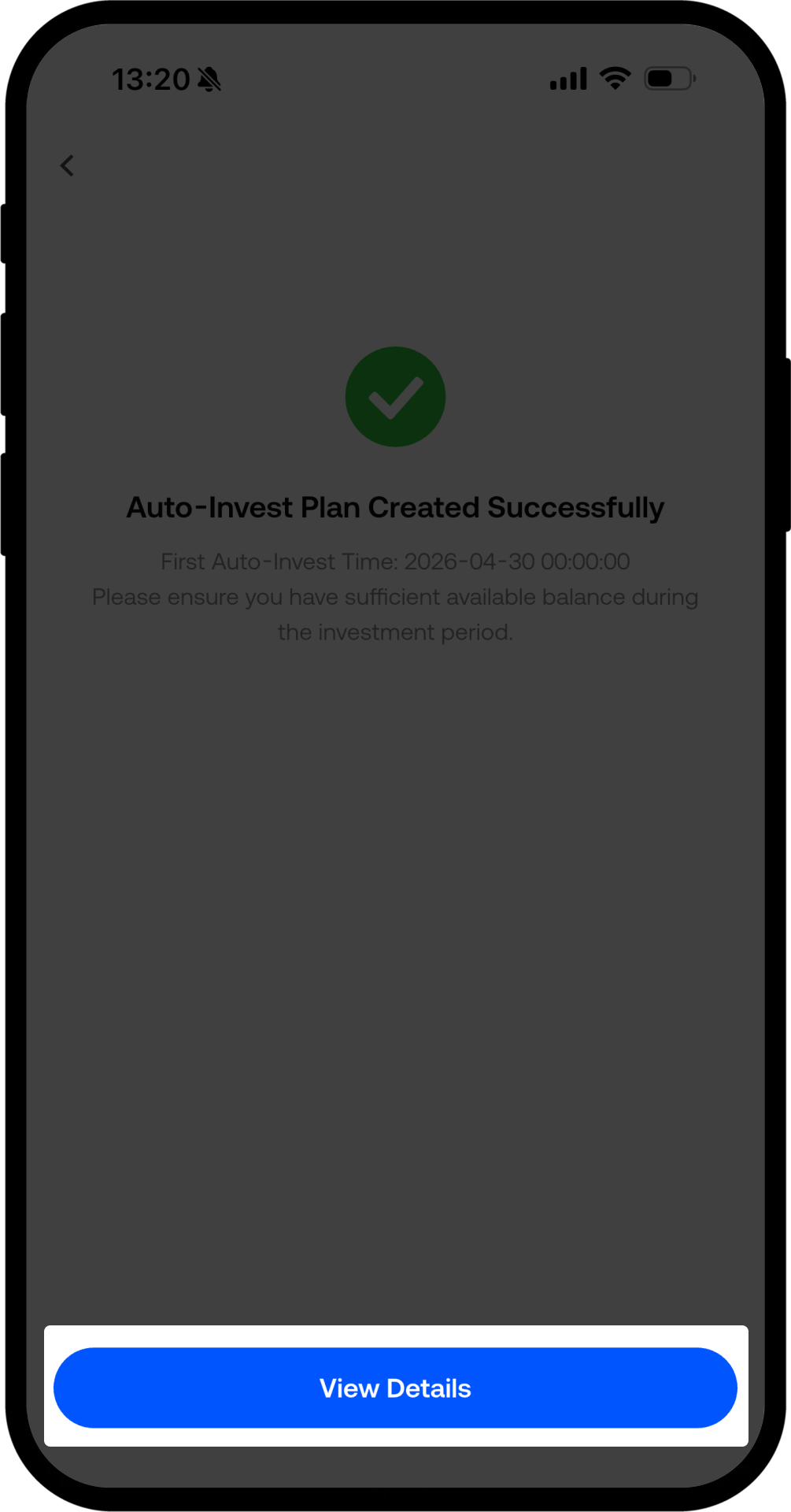
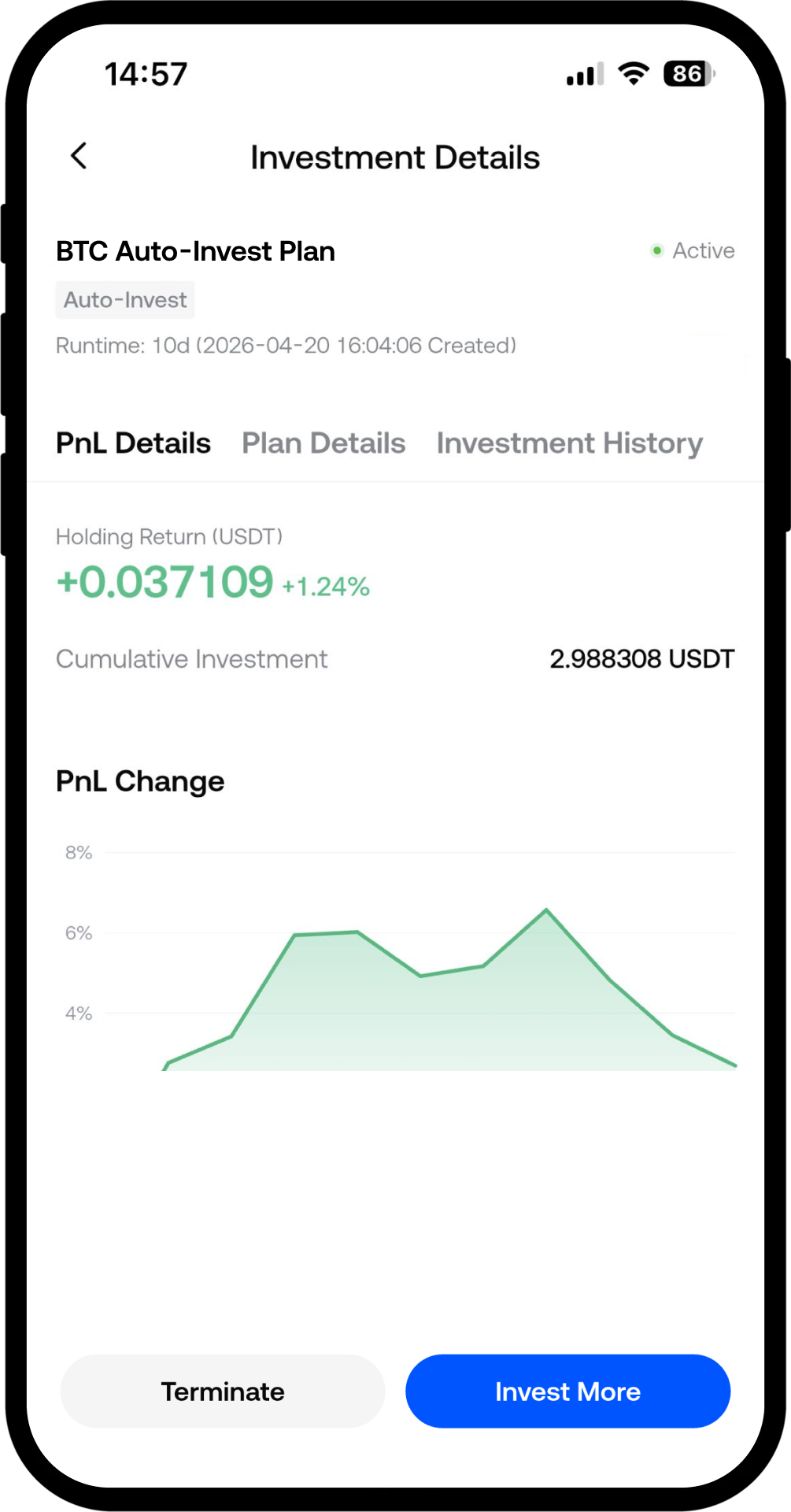
- Sur la page de confirmation de création de l'investissement automatique, appuyez sur le bouton Voir les détails pour accéder à la page de détails et vérifier le statut de votre plan d'investissement automatique.
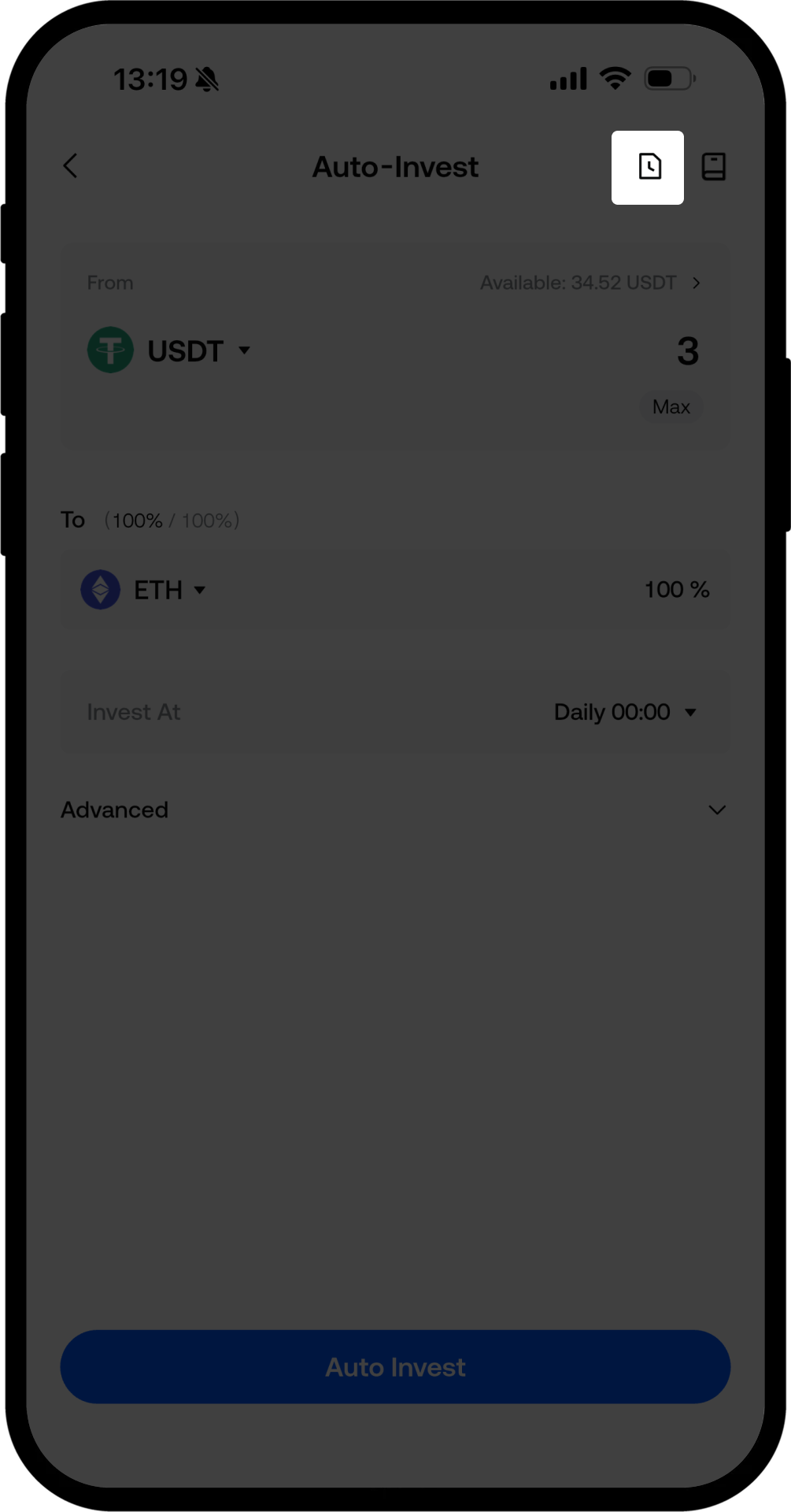
- Pour consulter vos avoirs : sur la page Investissement automatique, appuyez sur l'icône des avoirs située à droite de l'écran pour accéder à la page de vos avoirs en investissement automatique.
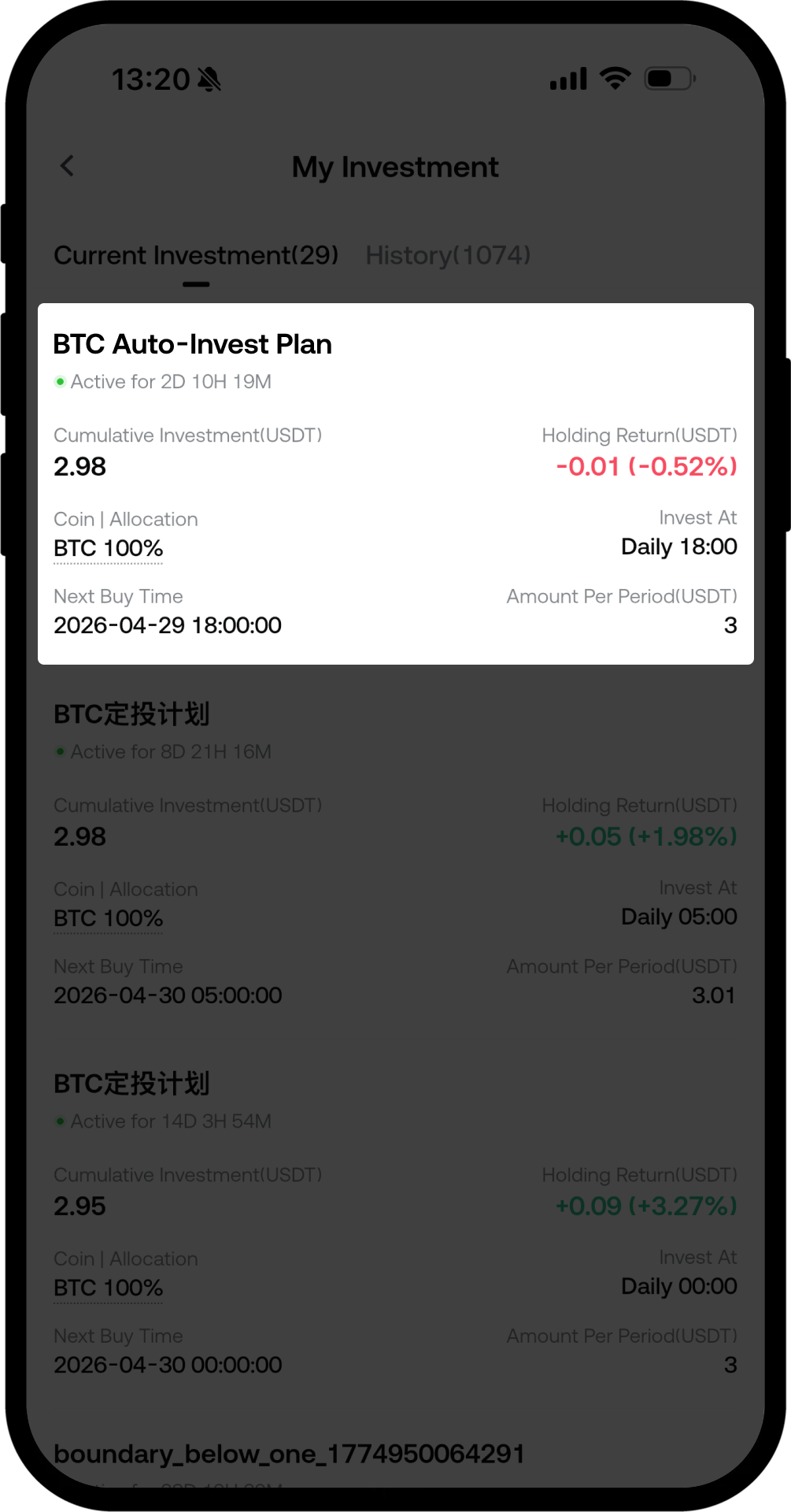
- Sur la page des avoirs en investissement automatique, vous pouvez basculer entre l'affichage de vos plans d'investissement automatique actuels et historiques sous la section Investissement automatique en cours. Vous pouvez également sélectionner un plan en cours pour le résilier ou y ajouter des fonds.
Clause de non-responsabilité
Le contenu présenté ici est fourni à titre informatif et éducatif uniquement et ne constitue en aucun cas un conseil financier, d'investissement, de trading ou juridique, ni une offre ou une sollicitation d'achat ou de vente de tout actif numérique. Gate ne donne aucune garantie expresse ou implicite quant à l'exactitude, l'exhaustivité ou l'actualité des informations contenues dans ce Les fonctions des produits, les interfaces, les règles et les structures tarifaires peuvent être modifiées ou ajustées à tout moment. Veuillez vous référer aux dernières annonces ainsi qu'aux informations affichées sur la plateforme Gate pour obtenir les détails les plus précis.
Les investissements en actifs numériques comportent des risques importants, et les prix peuvent connaître d'importantes fluctuations. Vous pouvez perdre la totalité de votre investissement. Veillez à prendre vos décisions avec prudence, en fonction de votre situation financière et de votre tolérance au risque, après avoir pleinement compris les risques associés. Si nécessaire, il est recommandé de consulter un conseiller financier ou juridique indépendant.
Pour plus d'informations sur les risques potentiels, veuillez consulter la déclaration des risques et les conditions d'utilisation de Gate.
