


How to Trade Stocks | Gate
This article provides a complete overview of the Gate Stocks trading process, differences between order types, trading hours, and price sources. Before you begin, please ensure you meet the platform’s access requirements (including identity verification and regional restrictions), and that you have updated the app to the latest version.
1. Trading Process
From funding your account to order execution, you can complete a trade by following these steps.
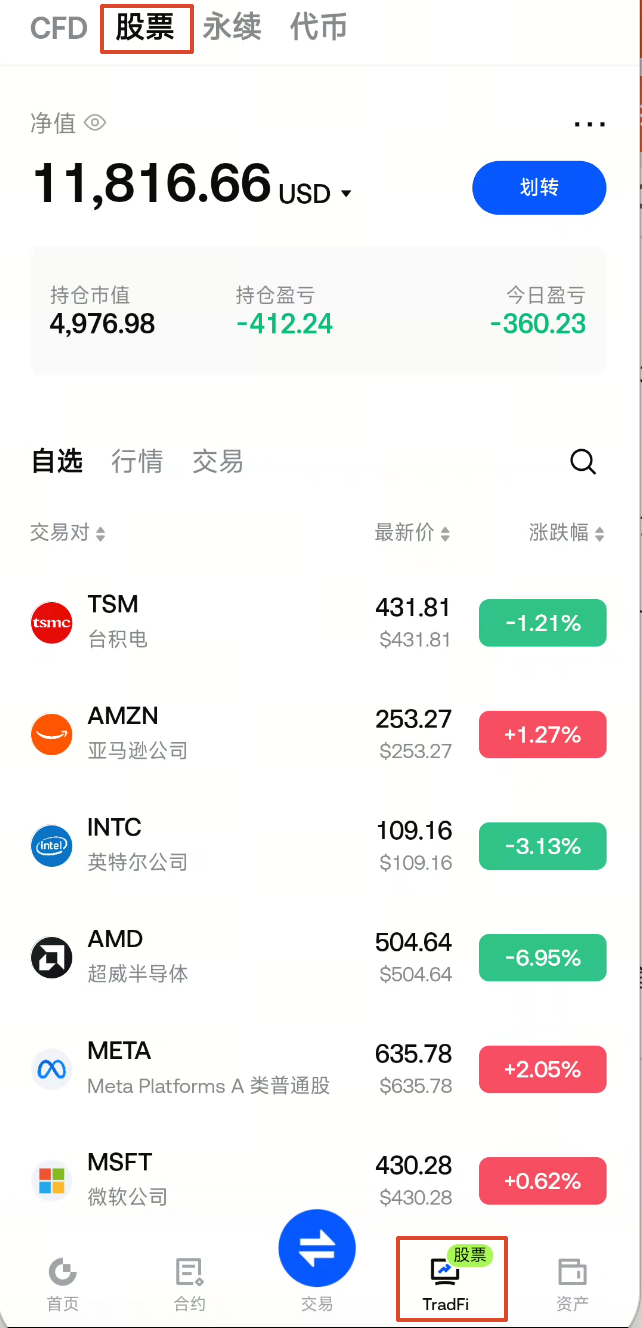
1. Access Stocks
You can access the stocks section through any of the following paths (all functions are identical):
- Bottom navigation TradFi → Select Stocks
- Market Selector → TradFi → Stocks
- Homepage Quotes → TradFi → Stocks
- Search for the stock code or name
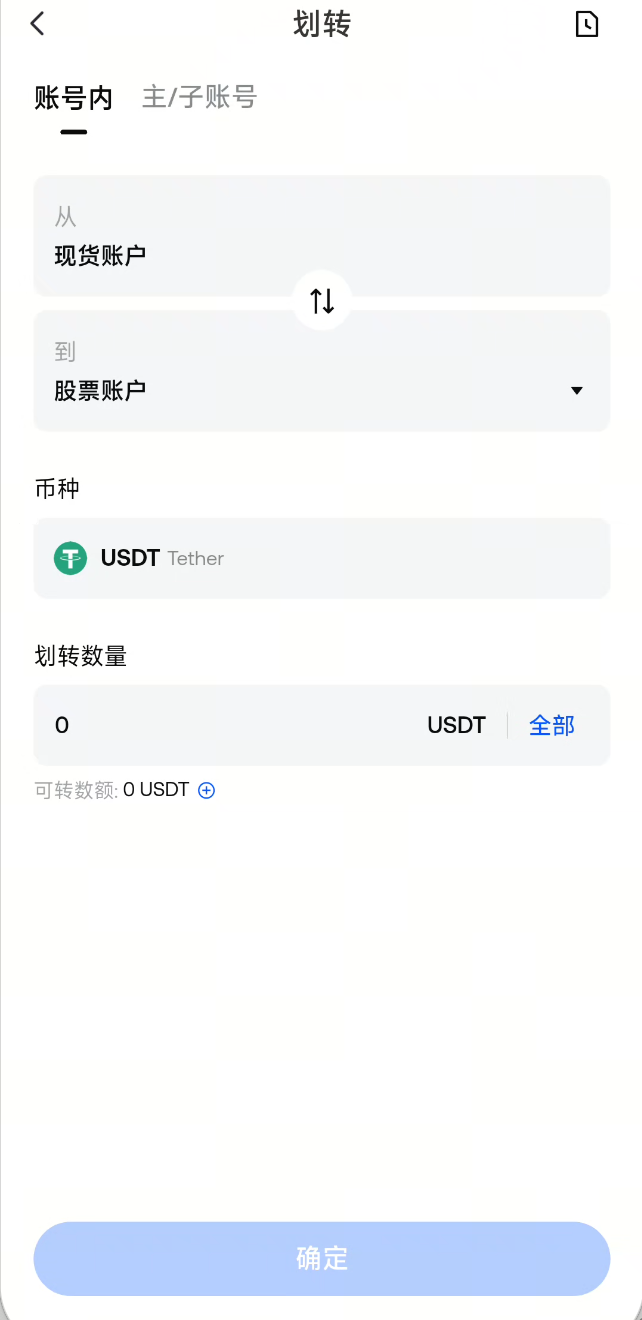
2. Prepare Funds
Transfer USDT from your Spot Account or Unified Account to your Stocks Account.
- If you haven’t transferred funds to your Stocks Account: you can browse quotes, but cannot place valid buy orders.
- The available funds for buying are determined by the available balance in your Stocks Account.
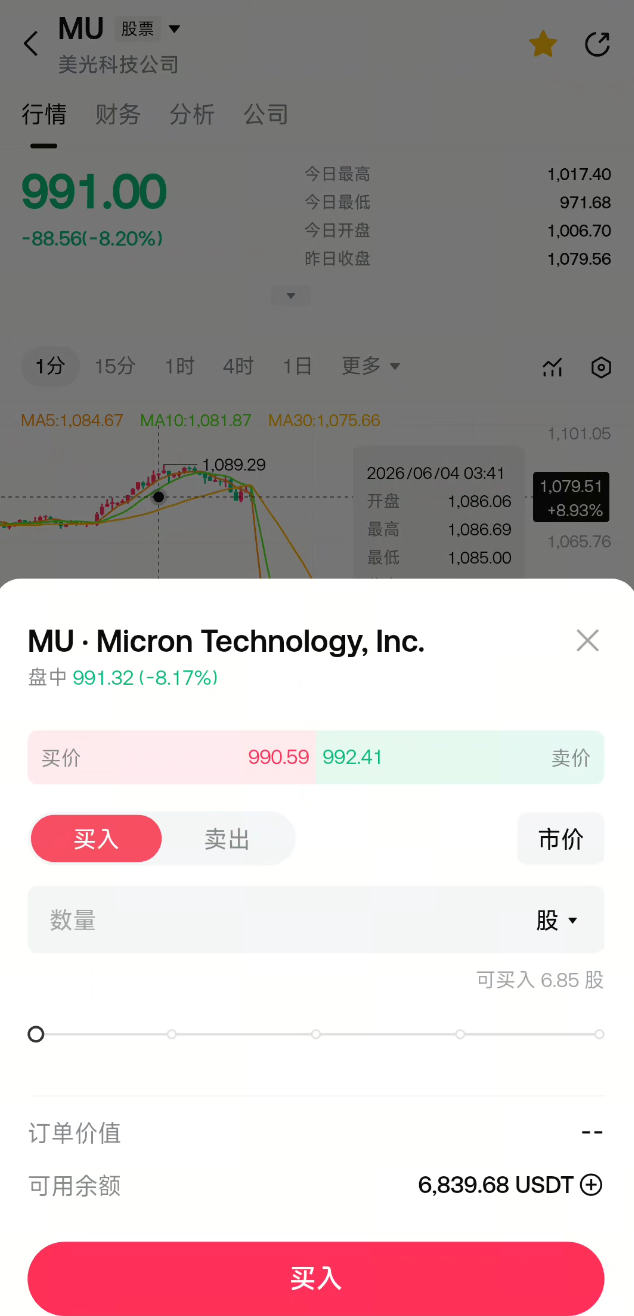
3. Select Stock and Place Order (During Market Hours Only)
Open the K-line (candlestick chart) page for your target stock:
- Use the bottom trading button to select Buy or Sell
- The default is a market order: quickly executed at the best available price on the opposite side.
- The actual execution price may differ from the quoted price at order placement due to slippage or network delays.
- Enter the quantity (you can switch between shares or USDT value)
- Review order parameters and submit your order
You can also sell existing holdings from the Positions page using Close Position or Market Close All (both are market sell actions).
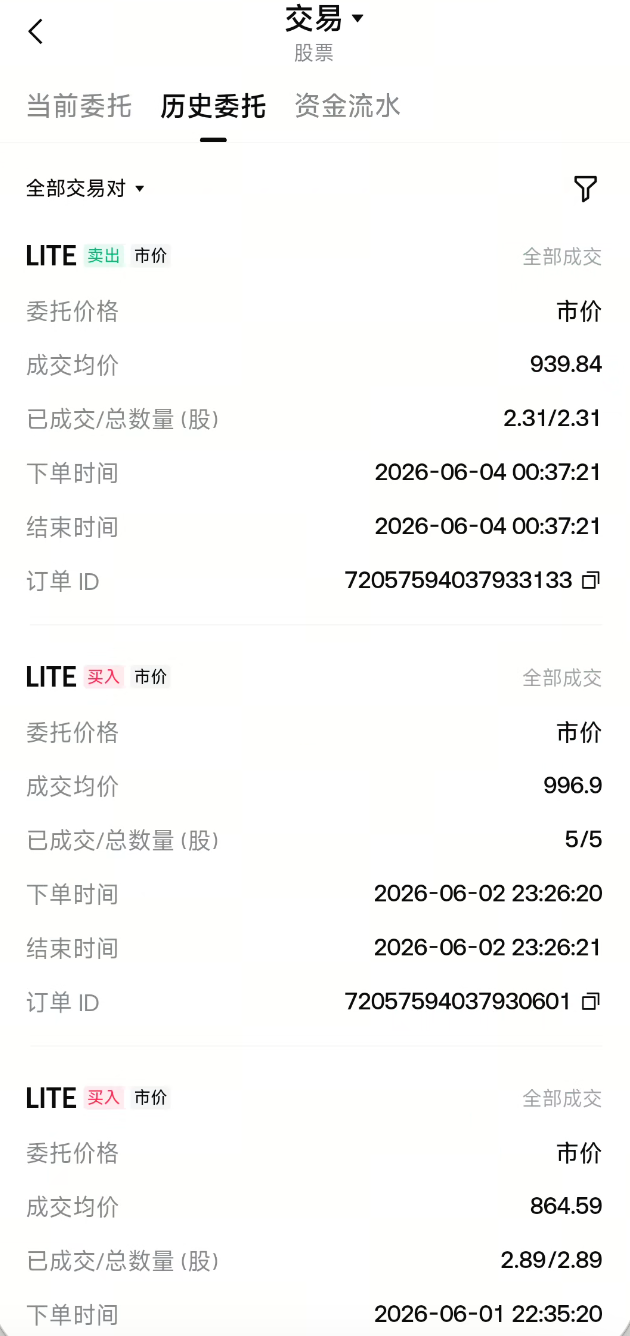
4. View Orders and Executions
| Where to View | Purpose |
|---|---|
| Orders | View active orders |
| Positions | View share quantity, cost, and P&L |
| Trade History | View current orders, historical orders, and fund flows |
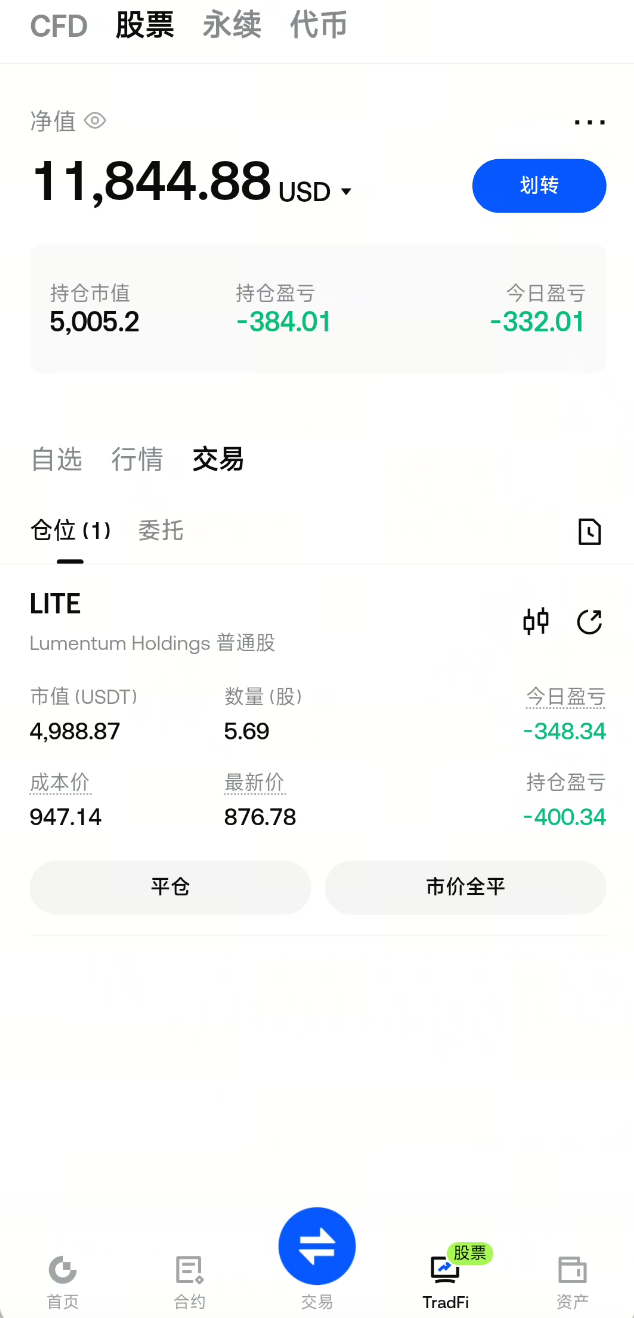
5. Holding and Subsequent Actions
- After execution, buying increases your holdings and reduces your available balance; selling decreases your holdings and returns funds to your available balance.
- As market prices fluctuate, position P&L, daily P&L, and net value will update accordingly.
- Corporate actions (such as dividends or stock splits) are handled automatically by the platform based on your holdings, distributed proportionally. You can view these in your fund flow records.
Process Overview
Transfer USDT to Stocks Account → Select stock during market hours → Submit market order → Order executed → Check holdings in "Positions" / Manage orders in "Orders" → Review results in "Trade History"2. Order Types Explained
Gate Stocks currently supports Market Orders and Limit Orders.
| Comparison | Market Order | Limit Order |
|---|---|---|
| Best For | When you want to buy or sell immediately at the current available price | When you want to execute at your specified price |
| Execution Method | Fills as quickly as possible at the best available counterparty price | Fills at a price no worse than your specified price |
| Required Fields | Quantity or amount, direction | Limit price, quantity or amount, direction |
| Validity | Valid for the day | Valid for the day |
| If Not Filled | Unfilled portion is automatically canceled before market close | Unfilled portion is automatically canceled at 0:00 local time of the stock’s listing market |
In Simple Terms
- Market Order: “Buy/Sell now”—executed as soon as possible at the available price when you submit.
- Limit Order: “Buy/Sell at a specified price”—executed at a price no worse than your limit.
Closing Positions
- Close Position: Sell from existing holdings, can specify quantity (default is to close all).
- Market Close All: One-click sell of all available holdings.
Closing a position uses the market sell logic, consistent with selling from the trading page.
Not Currently Supported
- Short selling (margin trading), margin buying
- Take profit/stop loss orders
3. Trading Hours
Order Placement Times
- You can place new orders (buy, sell, close positions) during market hours; some popular stocks support pre-market, regular, post-market, or even 24-hour trading.
- Trading hours match the pre-market, regular, and post-market sessions of the listing exchange; holiday schedules follow the exchange as well. Please refer to the app for exact market open/close times.
When the Market Is Closed
The quotes list, search results, and K-line charts will display a "Closed" label, and the Buy/Sell buttons will be disabled.
| Status | Can Place New Orders? | Can View |
|---|---|---|
| Market Hours | Yes | Quotes, Positions, Orders, History |
| Pre-market, Post-market | Some stocks | Quotes, Positions, Orders, History |
| Closed | No | Quotes, Positions, Orders, History |
Quotes Display and Trading Sessions
- The latest price and price change shown in lists and K-line charts update in real-time during market hours.
- If the data source does not provide pre-market or post-market prices, some P&L displays may be calculated based on the latest market price.
4. Price Sources
Latest Trade Price Source
- The latest price, price change, and K-line data displayed on the page are sourced from the platform’s integrated stock market data feeds, synchronized with the listing exchange to ensure fair value.
Order Book Price Source
- The platform’s buy and sell quotes may be better or worse than the exchange’s consolidated quotes.
- The final trade price for stocks is determined by a combination of real-time market data, order book quotes, and currency conversion costs, among other factors. All orders are ultimately settled based on the actual execution record.
5. Trading Settings and Records
In Settings, you can adjust options such as:
- Whether to confirm before placing an order
- Order unit (by shares or by USDT value)
- Position cost basis (average cost or diluted cost)
Trade History lets you view:
- Current Orders / Historical Orders
- Fund Flows (including transfers in/out, buy, sell, fees, dividends, etc.)
Disclaimer
The content provided herein is for reference and educational purposes only and does not constitute any financial, investment, trading, or legal advice, nor does it constitute an offer or solicitation to buy or sell any digital assets. Gate makes no express or implied representations or warranties regarding the accuracy, completeness, or timeliness of the information contained herein. Product features, interfaces, rules, and fee structures may be updated or adjusted at any time. Please refer to the latest announcements and the actual information displayed on the Gate platform for the most accurate details.
Digital asset investments involve significant risk, and prices may fluctuate substantially. You may lose the entire amount of your investment. Please make decisions cautiously based on your own financial situation and risk tolerance after fully understanding the associated risks. If necessary, you are advised to consult an independent professional financial or legal advisor.
For more information about potential risks, please refer to Gate's Risk Disclosure and User Agreement.
