Double Protection: “What Is 2FA (Two-Factor Authentication)” Has Become Essential Cybersecurity Knowledge for Everyone
What Is 2FA?
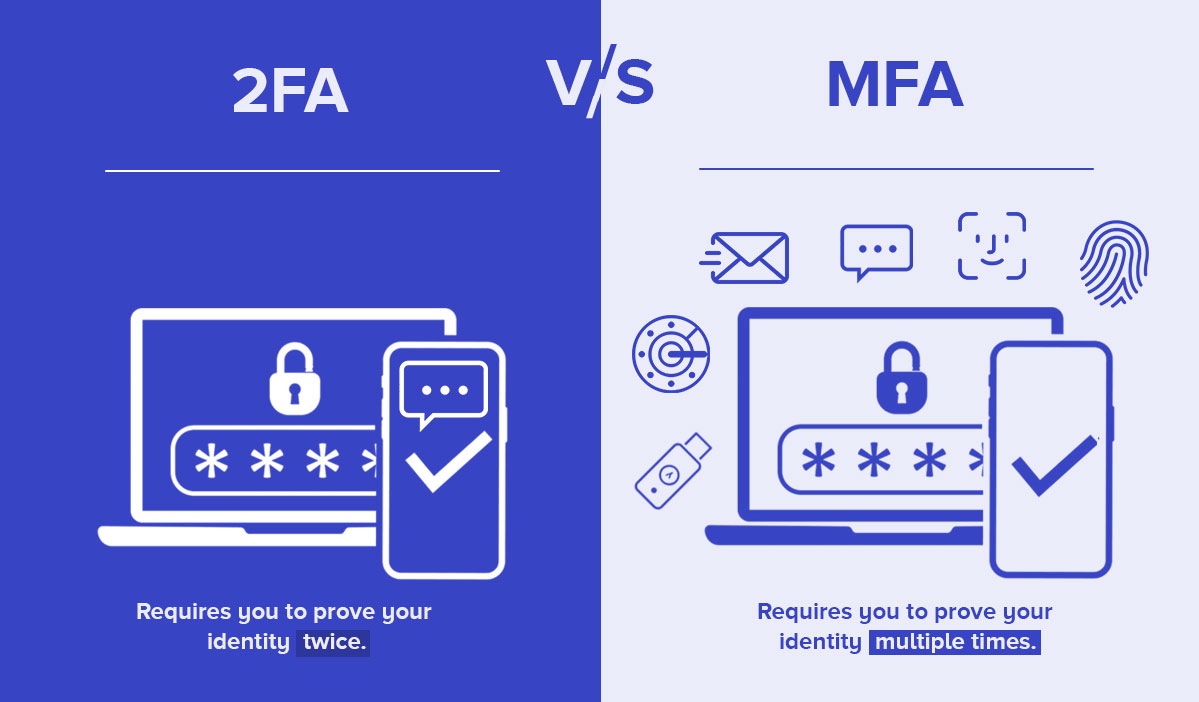
Image source: https://www.xiao-an.com/blog/475
Two-Factor Authentication (2FA)—also referred to as “two-step verification” or “dual-factor authentication”—is a more robust identity verification method than traditional passwords. The core concept is simple: when you log in, you not only enter your password (“something you know”) but also complete a second, independent verification step, such as entering a code, using an authentication app, hardware security key, or biometric method (“something you have” or “something you are”). This added layer of security dramatically increases account protection. Even if your password is compromised, attackers cannot easily access your account.
Why Are Passwords Alone No Longer Sufficient?
As our digital lives expand, password vulnerabilities have become more pronounced:
- Many users reuse similar passwords across different platforms, so a single breach can jeopardize all their accounts.
- Phishing, database leaks, and targeted attacks are on the rise.
- Attackers leverage automated tools to exploit weak passwords or launch credential stuffing attacks with ease.
Relying on passwords alone—the “single lock”—is inadequate in today’s threat environment. The second layer provided by 2FA is now essential.
Common Types of 2FA
The most widely used 2FA methods include:
1. SMS Verification Code
This is the most common approach, but its security is limited. It’s susceptible to SIM-swap attacks and SMS interception.
2. Authentication App (TOTP)
Apps like Google Authenticator and Microsoft Authenticator generate time-based one-time passwords (TOTP) that refresh every 30 seconds, even offline.
This method offers strong security and is highly recommended.
3. Push Notification Authentication
When you log in, your phone receives an “Approve / Deny” prompt. This method is simple and intuitive, and is common in Google and Apple ecosystems.
4. Hardware Security Key
Devices like YubiKey use USB, NFC, or Bluetooth for authentication and are considered among the most secure 2FA solutions available.
5. Biometric Authentication / Device Binding
Fingerprint, facial recognition, or a trusted, registered device can serve as additional authentication factors.
In summary, Hardware Security Keys provide the highest security, followed by Authentication Apps, Push Notifications, and SMS. While SMS is widespread, it provides the lowest level of security.
Key Benefits of Enabling 2FA
Activating 2FA significantly enhances account security in several ways:
1. Prevent Account Theft
Even if your password is leaked, attackers cannot bypass the second authentication factor.
2. Block Phishing, Credential Stuffing, and Brute-Force Attacks
2FA is a powerful defense against password-based attacks.
3. Strengthen Protection for Sensitive Accounts
It’s especially crucial for email, cloud storage, financial accounts, and crypto exchanges.
4. Support Regulatory Compliance
More platforms now require 2FA for compliance purposes.
5. Easy Setup, Minimal Cost
Setting up 2FA typically takes just a few minutes, and most services offer it free of charge.
In short: 2FA is a low-cost, high-reward security upgrade for your accounts.
2FA Is Not “Foolproof”
While 2FA greatly increases security, some risks remain:
- SMS-based methods are vulnerable to attacks like SIM-swapping.
- Poorly designed account recovery flows can become loopholes to bypass 2FA.
- Some sites mishandle “remember device” settings, allowing long-term access without re-authentication.
- Losing your device or backup codes can also create risks.
To maximize security, you should:
- Prefer authentication apps or hardware security keys whenever possible.
- Regularly review your security settings.
- Store backup recovery codes securely.
How to Properly Enable 2FA (Practical Steps)
Whether for email, social media, online banking, or crypto asset accounts, you can usually enable 2FA as follows:
Step 1: Go to Account Settings
Access menus like “Security Settings” or “Account & Privacy.”
Step 2: Locate the 2FA / Two-Step Verification Option
Look for options such as Two-Factor Authentication, Two-Step Verification, or Multi-Factor Authentication.
Step 3: Select Your Verification Method (Recommended Order)
- Authentication App (top choice)
- Hardware Security Key (even higher security)
- Push Notification
- SMS (only if better options are unavailable)
Step 4: Complete Setup and Save Backup Codes
Link your account by scanning a QR code, entering a verification code, or inserting your hardware key. Always store your recovery codes safely in case you lose your device. After you enable 2FA, you must enter both your password and the second factor at every login. This extra step significantly reduces the risk of account compromise.
Conclusion
With cyberattacks growing more sophisticated, 2FA is no longer optional—it’s a fundamental safeguard for protecting your digital assets. By combining “something you know” (your password) with “something you have or are” (device, key, biometrics), 2FA makes unauthorized access far more difficult. While not absolutely infallible, 2FA adds multiple layers of protection beyond a single password.
If you haven’t enabled 2FA on your important accounts yet, now is the perfect time to do so. Spending just a few minutes to set up 2FA could save you from irreversible losses in the future.
Share
Content


Related Articles

2025 BTC Price Prediction: BTC Trend Forecast Based on Technical and Macroeconomic Data

Pi Coin Transaction Guide: How to Transfer to Gate.com

Flare Crypto Explained: What Is Flare Network and Why It Matters in 2025

How to Use a Crypto Whale Tracker: Top Tool Recommendation for 2025 to Follow Whale Moves

What is N2: An AI-Driven Layer 2 Solution